Equipment chapter 04 / Support
Keep the setup dependable
The quiet parts of a kit determine whether the camera is steady, powered and ready—and whether the photographs survive the journey home.
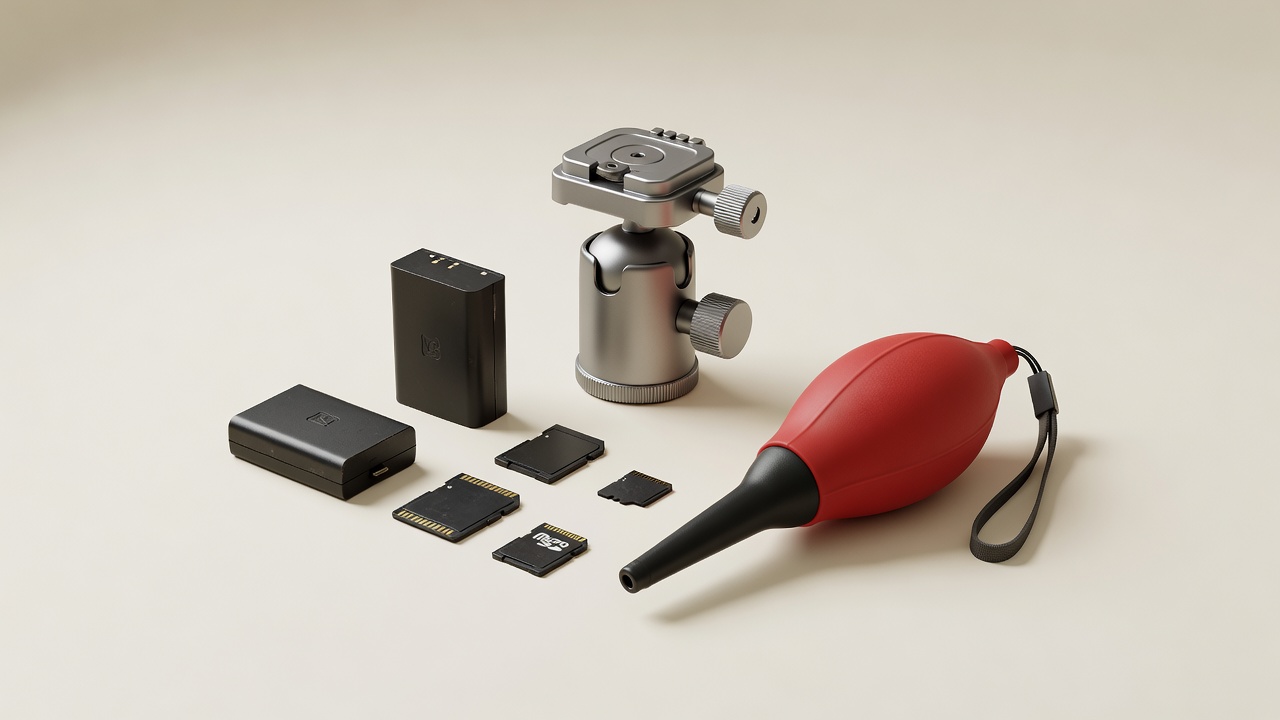
Choose support for the actual setup
A tripod is useful when you need a repeatable composition, long exposure or carefully controlled framing. It is not mandatory for every photographer. Before buying one, consider whether your current shutter speed, posture or camera stabilization can solve the immediate problem. Stabilization can reduce camera shake, but it does not freeze a moving subject.
Evaluate the tripod with the camera and heaviest intended lens attached. Published load ratings do not describe every vibration, balance or wind condition, and manufacturers may measure them differently. A head that holds a static weight can still be awkward to adjust precisely. Try locking the composition, operating the camera and checking whether the frame drifts.
Working height, folded size, leg locks and carrying weight affect whether support gets used. Extending a center column can reduce stability. A long lens may balance better through its designated tripod collar. Keep straps and loose objects from catching wind, and follow the equipment maker’s instructions rather than assuming added hanging weight always helps.
Make plates and connections predictable
A quick-release system is only useful when the plate and clamp genuinely fit. “Arca-style” describes a widely used profile, but not every combination has identical dimensions or safety features. Verify secure engagement, screw clearance and access to battery doors. Tighten as instructed without over-torquing, and check the connection before letting go.
Consider the whole mounting path: camera or lens foot, plate, clamp, head and legs. A weak or partially seated connection anywhere can defeat the rest. Do not leave equipment unattended on unstable ground, and do not place a tripod where it obstructs a public route.
Reliability is the freedom to stop thinking about the equipment while you work.
Buy memory for compatibility and sustained use
Check the camera manual for card format, supported capacities and the performance required by particular recording modes. SD, SDHC and SDXC are not interchangeable labels for every device. UHS bus designations and video speed classes describe different aspects of card behavior. An advertised maximum transfer speed may refer to reading rather than sustained writing.
CFexpress Type A and Type B are physically different and require compatible slots and readers. Do not assume a familiar-looking card will fit or function. The SD Association and CompactFlash Association explain their respective formats; the camera’s approved requirements remain the immediate reference for your setup.
Buy from a source with clear authenticity and return policies. Test a new card before important work. Follow the camera maker’s formatting guidance after verifying that needed files have been copied. A larger card reduces swapping but can concentrate more photographs in one place; choose capacity with your backup habits in mind.
Build a backup habit before expanding capacity
A photograph on one card is one vulnerable copy. Transfer files to your working storage and create a separate backup before reusing the card. Check that files can be opened, not merely that a folder exists. Where practical, maintain another copy in a different location to reduce exposure to theft, fire or a single equipment failure.
A common framework is the 3-2-1 approach: three copies, across two storage types, with one copy off-site. It is a planning principle rather than a guarantee. A synchronized folder can propagate accidental deletions, so understand version history and recovery behavior. Test restoration periodically; a backup you cannot restore is not a dependable safety net.
Plan power without risky improvisation
Use batteries and chargers specified as compatible with your equipment. For USB charging or external power, confirm the supported connection, power negotiation and operating conditions in the manual. A connector fitting physically does not establish electrical compatibility. Cold weather, screen use and long video sessions can change practical battery endurance.
Keep spare batteries protected against short circuits. Stop using a swollen, leaking, damaged or unusually hot battery and follow local guidance for safe disposal. For travel, check current airline and transport rules directly; lithium-battery requirements depend on the battery and itinerary. Do not rely on a general photography article as authorization to fly with a particular pack.
Care for equipment conservatively
Use a hand blower and appropriate external cleaning methods as directed by the manufacturer. Avoid canned air, household solvents and unnecessary contact with delicate surfaces. Sensor cleaning is model-specific; if you are uncertain, use an appropriate service provider. Weather resistance is not the same as waterproofing, and damaged seals may not provide the protection you expect.
Allow equipment to acclimatize when moving between cold and warm environments to reduce condensation risk. Dry a damp bag before storing the kit, and avoid leaving batteries or cameras in excessive heat. A simple inspection after each outing can reveal loose plates, contaminated contacts or missing accessories before the next session.
A whole-kit compatibility check
- Body and lens: mount, coverage, firmware and control support.
- Flash and trigger: communication, synchronization and shutter mode.
- Tripod: plate engagement, balance, head control and actual stability.
- Storage: correct format, required sustained performance and tested reader.
- Power: approved battery, charger and external-power requirements.
- Workflow: readable files, separate backups and a verified recovery route.
Do this check before adding another item. When the setup already meets your needs, maintenance and practice may be the most useful investments. For unresolved trade-offs, visit the equipment dilemmas or outline a kit question without sending anything through the website.